Tesla Sentry Mode vs Dash Cam: Do You Need Both?
Tesla Sentry Mode vs a dash cam: what Tesla's built-in recording covers, what it costs in battery, and what a dedicated 4K cam adds, plus our Tesla picks.
Disclosure: Dashlore earns a commission on purchases made through some links on this page, at no added cost to you. Scores come from the spec rubric, never from commission rates. Details
On this page
Key takeaways
- Tesla Dashcam and Sentry Mode record from eight exterior cameras, including side views most dash cams can't cover, onto a USB drive you supply at no extra cost.
- Sentry Mode keeps the car's computer awake to watch for threats, draining roughly 1 mile of range per hour and 3–6 kWh per day based on owner reports.
- Firmware analysis and owner testing show Tesla records at 1280x960 and 30fps, but Tesla doesn't officially spec resolution, bitrate or HDR; a dedicated cam like the BlackVue Elite 10-2CH lists 4K STARVIS 2 IMX678 sensors.
- A dedicated cam adds published image specs, a 10-second pre-event buffer, GPS-stamped footage and, on the VIOFO T330 3CH, a 2K infrared cabin camera with HDR.
- Most Tesla owners don't need both. Add a dedicated cam if you drive rideshare, park on the street overnight or need evidence-grade plate detail for an insurer.
Most Tesla owners don’t need both, but Sentry Mode and a dedicated dash cam solve different problems. Sentry records from eight exterior cameras including the sides, yet owner-tested footage shows only 1280x960 resolution at 30fps, and it drains roughly 1 mile of range per hour to stay awake. A hardwired 4K cam adds 3840x2160 published image quality, low-power parking recording and, optionally, a cabin camera.
Is Tesla Sentry Mode as good as a dash cam?
They overlap more than most cars’ built-in systems. Tesla’s recording has two parts:
- Dashcam records while you drive, saving footage from the car’s eight exterior cameras to a USB drive.
- Sentry Mode watches while parked, cycling through three states: Standby (monitoring sensors), Alert (flashing headlights when it detects a nearby threat) and Alarm (sounding the horn, flashing lights and sending a push notification to the Tesla app) when a more serious threat is detected.
Tesla also offers Live Camera, which lets you stream a real-time view from the car’s cameras through the Tesla app. It requires a Premium Connectivity subscription and works while Sentry Mode is active, giving you remote visual confirmation when you get an alert.
Here’s how Tesla’s system compares to the BlackVue Elite 10-2CH and VIOFO T330 3CH. The dash cam specs below come from our database and manufacturer sources; Tesla’s resolution and bitrate figures come from firmware analysis and owner testing, not official Tesla specs.
| Tesla Dashcam / Sentry | BlackVue Elite 10-2CH | VIOFO T330 3CH | |
|---|---|---|---|
| Cost | Included (you supply a USB drive) | Separate purchase | Separate purchase |
| Exterior views | 8 cameras, including sides | Front and rear | Front and rear |
| Cabin view | No | No | Yes, 210° fisheye with IR LEDs |
| Front resolution | ~1280x960 at 30fps | 3840x2160 at 30fps | 3840x2160 at 30fps |
| Rear resolution | ~1280x960 at 30fps | 3840x2160 at 30fps | 2560x1440 at 30fps |
| Front sensor | Not officially published | Sony STARVIS 2 IMX678 | Sony STARVIS 2 IMX678 |
| HDR | Not officially published | Front only | All three channels |
| Parking power | Car’s HV battery; car stays awake | Hardwire or battery pack | HK6-F hardwire kit |
| Pre-event buffer | Not specified by Tesla | 10 seconds | Buffered parking mode |
| GPS stamp on footage | Embedded in some software versions | Built-in, always on | Built-in, always on |
| Max storage | USB drive you supply | 1TB microSD | 512GB microSD |
| Live streaming | Yes, via Tesla app (Premium Connectivity) | Via optional CM100G LTE module | No |
Tesla’s biggest advantage is coverage. Its eight cameras see the flanks, front and rear of the car where door dings and sideswipes happen. No 2-channel dash cam sees directly sideways, and a 3-channel cam points its third lens into the cabin, not outward.
Its biggest weakness is image quality. Firmware analysis and owner-extracted files consistently show 1280x960 resolution at approximately 30fps and around 4.4 Mbps bitrate, well below the 3840x2160 that dedicated cams publish. Tesla doesn’t officially list resolution, frame rate, bitrate or HDR for its recordings in the owner’s manual or on its spec pages, so these figures carry an asterisk. But they’re widely documented enough to compare: at roughly one-eighth the pixel count of a 4K dash cam, Tesla footage is useful for identifying vehicles and events but weaker for reading plates at a distance. A dash cam maker publishes all of its specs, and our scoring method is built on exactly those numbers. Our STARVIS 2 explainer covers why that sensor generation matters for night footage.
What does Tesla Dashcam record?
Dashcam saves footage from the car’s eight exterior cameras to a USB drive in the TeslaCam folder. Per Tesla’s USB drive requirements, the drive needs at least 64 GB of storage and a sustained write speed of at least 4 MB/s. The car can format the drive from the touchscreen.
It loop-records, keeping a rolling buffer and overwriting the oldest footage. Tap the Dashcam icon to save the recent clip before it’s overwritten. Our guide to how loop recording works explains the same overwrite logic in dedicated cams.
What it doesn’t record is the cabin. Tesla’s interior camera isn’t part of Dashcam or Sentry footage. If you drive Uber or Lyft passengers, that’s a gap. Our Uber and Lyft dash cam rules guide explains what each platform requires.
How much battery does Sentry Mode use?
Tesla doesn’t publish an official consumption figure, but owners widely report roughly 1 mile of range lost per hour, which works out to approximately 3–6 kWh per day depending on the model and ambient temperature. The mechanism explains why: Sentry keeps the car’s computer and all eight cameras awake instead of letting the car sleep. A sleeping Tesla draws very little energy; an awake one draws continuously, for as long as Sentry stays on.
Tesla builds in two safeguards. Sentry turns off when the battery falls below 20% and the app notifies you. And you can exclude home, work or favorite locations so it isn’t running in your own garage overnight.
The practical cost is range. Leave Sentry on through a 48-hour airport stay and you could lose 48 miles or more. Leave it on for several days and it may hit the 20% cutoff, stopping recording entirely. That’s the core trade-off a dedicated cam avoids.
A hardwired dash cam runs from the car’s low-voltage system with its own parking logic. Buffered motion detection records only around events: the Elite 10-2CH saves 10 seconds before an impact is detected. It doesn’t need the car’s main computer awake. Our parking mode explainer covers how buffered, time-lapse and low-bitrate modes compare.
One caveat: how you power a dash cam in a Tesla matters. Accessory outlets can switch off when the car sleeps, so parking mode usually needs a hardwire connection or a dedicated battery pack. Both cams use supercapacitors for clean shutdown, but they still need an external power source for extended recording. The BlackVue lists both hardwire and battery-pack options; the T330 uses VIOFO’s HK6-F kit. Our hardwiring guide covers the install, and our guide on whether a dash cam drains your car battery explains voltage cutoff protection.
What does a dedicated dash cam add?
Five things, all verifiable from the spec sheets.
1. Published image quality. The BlackVue Elite 10-2CH records 3840x2160 at 30fps on a Sony STARVIS 2 IMX678 front sensor, with a STARVIS 2 rear sensor at the same resolution. The T330 matches that resolution up front on an IMX678 and adds 2560x1440 rear and cabin cameras, with HDR on all three channels. Compare that to Tesla’s owner-tested 1280x960: the 4K cam captures roughly eight times as many pixels per frame. Our 4K vs 1440p guide explains what that resolution gap means for plate legibility.
2. Low-power parking recording. Buffered parking mode captures the seconds before an impact without keeping the whole car awake. Both cams support buffered motion detection and time-lapse; the T330 also has a low-bitrate continuous mode.
3. Removable, standard storage. Footage goes to a microSD card, up to 1TB on the BlackVue or 512GB on the T330, independent of the car’s software or USB drive.
4. GPS-stamped footage. Both cams have built-in GPS that stamps speed and location onto every clip. Insurers and police ask for that data, and it’s one reason dash cams can help with insurance claims. Tesla embeds location in some software versions, but a dedicated cam’s GPS log is always there.
5. Cabin recording. The VIOFO T330 3CH adds a 2560x1440 interior camera with a 210° fisheye lens, IR LEDs for night and HDR. For rideshare drivers, that closes the one gap Tesla’s system doesn’t cover. See our best dash cam for rideshare picks.
Both cams are screenless, which suits a Tesla’s minimalist cabin and keeps them hidden behind the mirror. Our guide on dash cam laws by state explains windshield-obstruction rules that vary by jurisdiction.
Should you run both?
For many Tesla owners, the built-in system is enough. If you park in a garage at home and in daytime lots elsewhere, Dashcam covers driving incidents and Sentry covers parking, at no extra cost. Live Camera via Premium Connectivity adds remote streaming that most dash cams don’t match without an LTE add-on.
Add a dedicated cam if any of these apply:
| Situation | Why a dedicated cam helps |
|---|---|
| You drive rideshare | Tesla records no cabin footage; the T330 adds a 2K IR interior camera with HDR |
| You park on the street overnight | A hardwired cam’s buffered parking mode runs all night without the car awake |
| You leave the car for days | Sentry shuts off at 20% charge; a hardwired cam with voltage cutoff keeps recording |
| You need evidence-grade plates | 4K at 3840x2160 captures roughly 8x the pixels of Tesla’s ~1280x960 footage |
| You want cloud or remote alerts | The BlackVue supports cloud via its optional CM100G LTE module or a Wi-Fi hotspot |
Running both gives you the best of each: Tesla’s eight-camera coverage plus a dedicated cam’s 4K front and rear image quality. The two systems don’t interfere because they record to separate storage.
If you only want one system, keep Sentry on in risky locations, exclude home and work, and add a dedicated cam when any situation above applies.
Which dash cam for a Tesla?
Both picks are screenless, which suits a Tesla cabin and keeps the cam hidden behind the mirror. Our best dash cam for Tesla roundup ranks the full field.
Best screenless cam for 4K front and rear
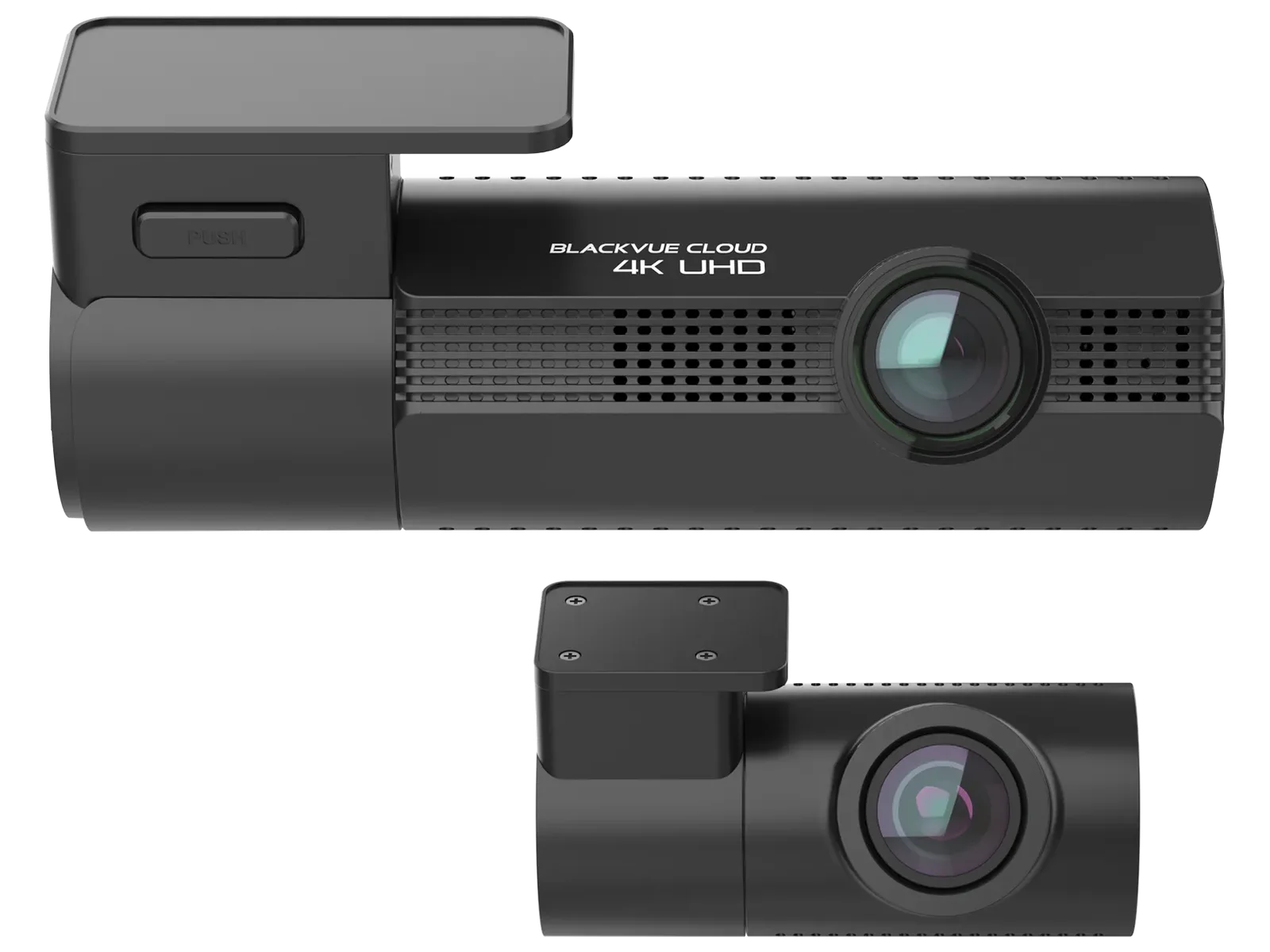
BlackVue Elite 10-2CH
- Front resolution
- 2,160 px
- Coverage (channels)
- 2
- STARVIS 2 sensor
- Yes
- Buffered parking mode
- Yes
The BlackVue Elite 10-2CH is the pick for the sharpest exterior footage: 4K on both cameras with a STARVIS 2 IMX678 front sensor, a 10-second pre-event buffer, and microSD support up to 1TB. Its Dashlore Score is 7.7. The watchout is HDR on the front camera only; for night driving with oncoming headlights, the front handles glare but the rear doesn’t get the same processing.
Best screenless 3-channel for Tesla rideshare
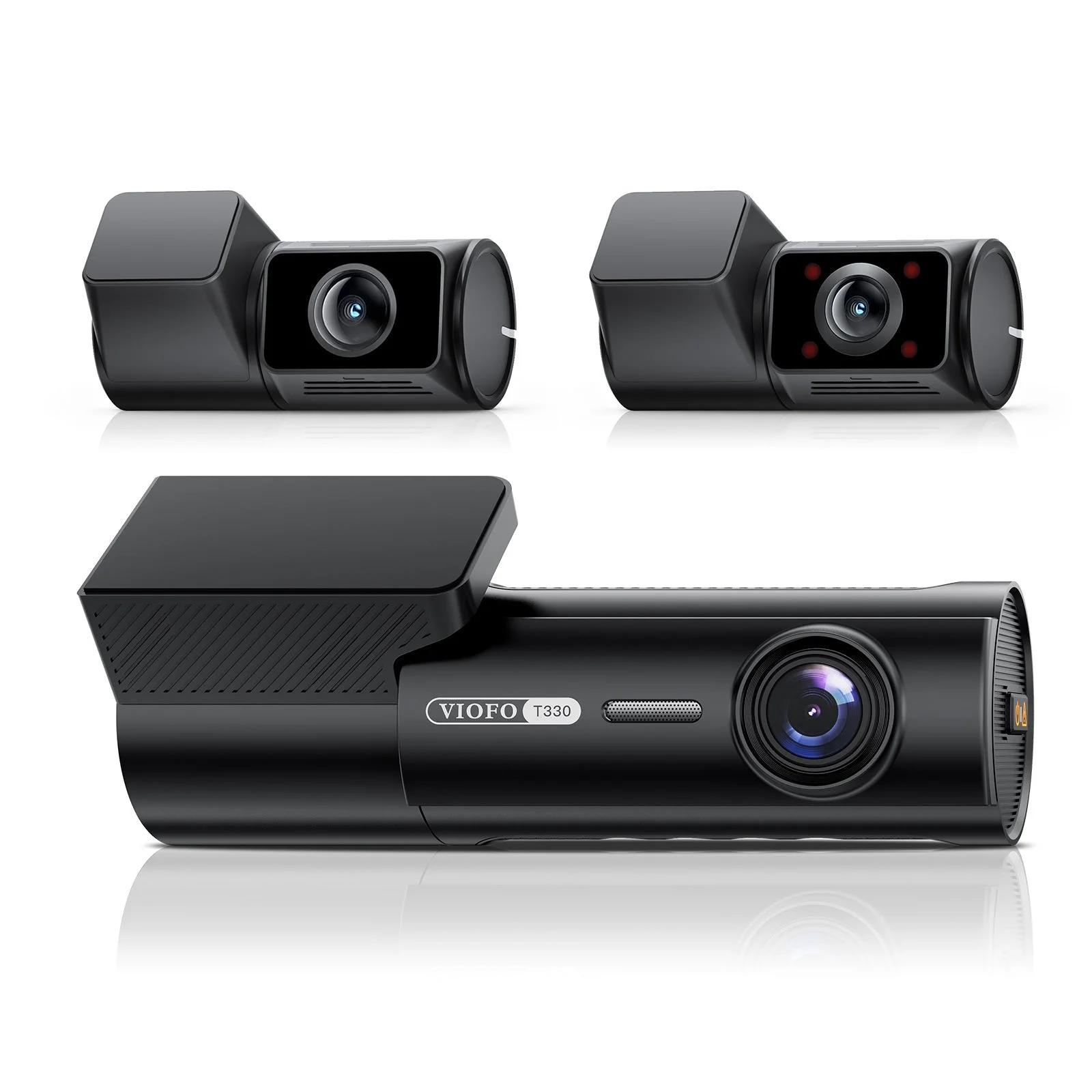
VIOFO T330 3CH
- Front resolution
- 2,160 px
- Coverage (channels)
- 3
- STARVIS 2 sensor
- Yes
- Buffered parking mode
- Yes
The VIOFO T330 3CH scores 9.0, one of the top screenless three-channel scores in our rankings. It earns the high mark thanks to its third channel: a 2560x1440 infrared cabin camera with a 210° fisheye lens, plus HDR on all three channels. If passengers ride in your car, this is the one.
Compare them side by side on the BlackVue Elite 10-2CH and VIOFO T330 3CH spec pages, filter every model in the dash cam finder, or browse the full dash cam rankings.
Frequently asked questions
Is Tesla Sentry Mode as good as a dash cam?
For coverage it's strong: eight exterior cameras, including the sides, beat any 2- or 3-channel cam for angle count. For image quality, firmware analysis shows Tesla records at 1280x960 while dedicated cams shoot 3840x2160, a roughly 8x pixel gap. A dash cam also records without keeping the whole car awake.
How much battery does Sentry Mode use?
Owners widely report roughly 1 mile of range lost per hour and 3–6 kWh consumed per day. Tesla doesn't publish an official figure but shuts Sentry off at 20% charge to prevent stranding you.
What USB drive does Tesla Dashcam need?
Tesla's USB drive requirements call for at least 64 GB and a sustained write speed of at least 4 MB/s, formatted with a TeslaCam folder. The car can format the drive from the touchscreen.
Can a dash cam record while my Tesla is asleep?
Yes, if it's hardwired to constant 12V power or running from a battery pack. That's the main advantage over Sentry, which needs the car's computer awake to record.
Does Tesla Dashcam record the cabin?
No. Tesla's Dashcam and Sentry footage comes from the exterior cameras only. For interior recording, a 3-channel cam like the VIOFO T330 3CH adds a 2K infrared cabin camera with a 210-degree fisheye lens.
Will a dash cam void my Tesla warranty?
A properly installed dash cam shouldn't void the warranty. Hardwire it to the low-voltage fuse box, not the high-voltage system, and use a kit with voltage cutoff protection so it doesn't flatten the 12V battery.
Related reading
Best ofDash Cams
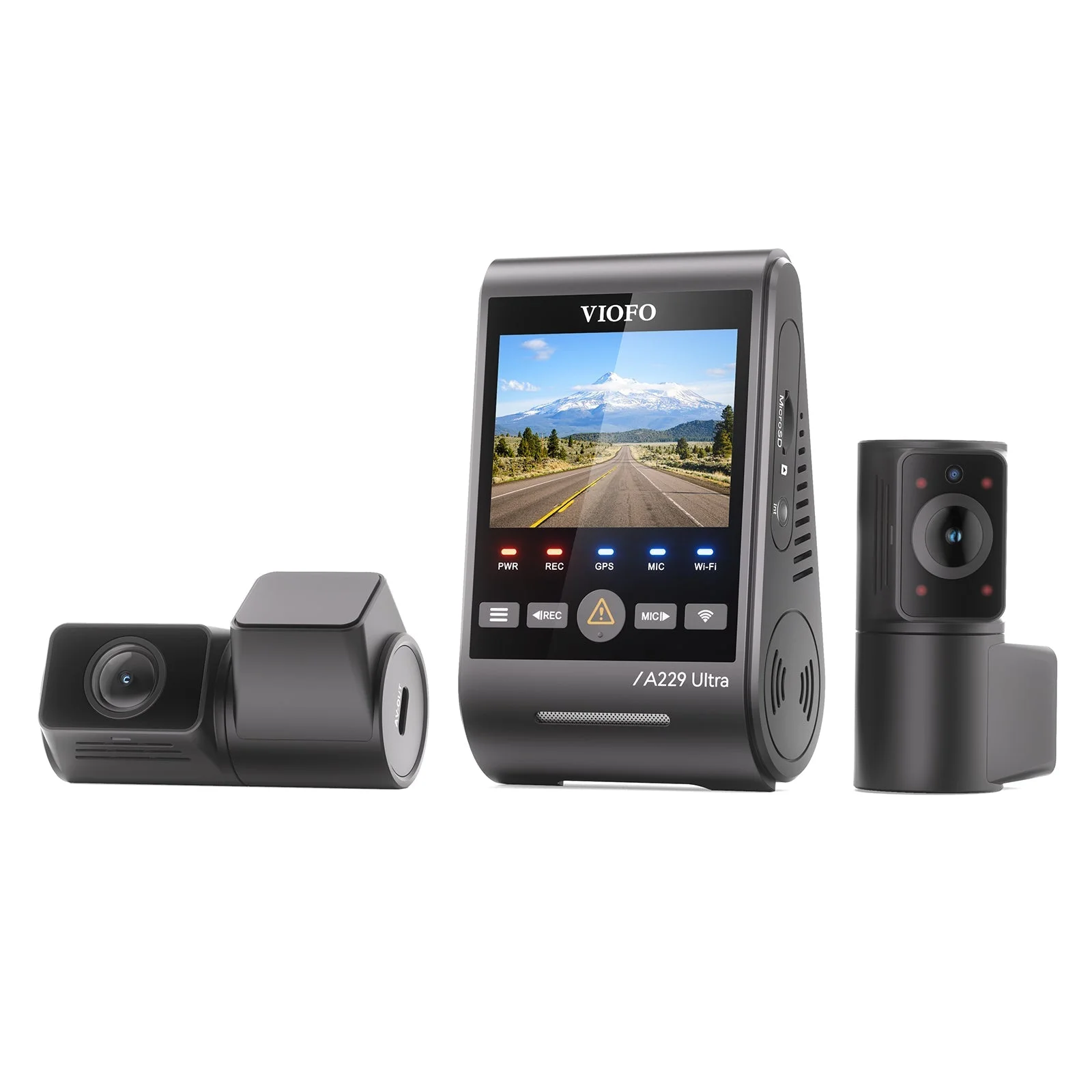
Best Dash Cam for Tesla: Model 3 and Model Y Picks
The VIOFO T330 3CH is the best dash cam for a Tesla Model 3 or Model Y. We rank screenless cams with 1440p-plus rear cameras vs Sentry Mode.
Best ofDash Cams
Best Dash Cams: Every Major Model Ranked by Spec
Every dash cam we track, ranked on a published rubric, with picks for front and rear, 4K plate detail, night driving, parking mode and under $200.
GuideDash Cams
Dash Cam Parking Mode Explained: Buffered vs Time-Lapse
Dash cam parking mode explained: buffered, time-lapse, low-bitrate and impact-only recording compared, with buffer lengths and which cams support each.
How-toDash Cams
How to Set Up Dash Cam Parking Mode the Right Way
How to set up dash cam parking mode on VIOFO, Thinkware and BlackVue: pick buffered or time-lapse, set sensitivity, choose a voltage cutoff, then test it.