Uber and Lyft Dash Cam Rules: What Drivers Must Know
Uber and Lyft dash cam rules: both allow driver dash cams, but audio consent laws, rider notice and posting footage online carry real risks. What to know.
Disclosure: Dashlore earns a commission on purchases made through some links on this page, at no added cost to you. Scores come from the spec rubric, never from commission rates. Details
On this page
Key takeaways
- Uber's community guidelines say drivers may install and use a dashcam to record rides; Lyft lets drivers register a dashcam in the Driver app and then notifies riders they may be recorded.
- Neither platform overrides state law. About 11 states primarily require all-party consent to record conversations, which makes cabin audio the riskiest part of a rideshare camera.
- Uber says sharing or streaming a person's image or recording on social media violates its community guidelines and may prompt an investigation.
- Both platforms take footage through their safety teams: Uber reviews recordings you submit, and Lyft's in-app recordings stay on your phone unless you attach one to a safety report.
- A rideshare camera needs a cabin channel with good low-light performance, an easy audio toggle and GPS; the VIOFO A229 Pro 3CH and Vantrue N5S both qualify.
Yes, Uber and Lyft both allow drivers to use dash cams. Uber’s community guidelines say drivers may install a dashcam to record rides, and Lyft lets drivers register one in the Driver app so riders are notified. Neither platform overrides state law, though. Audio recording in all-party consent states and posting footage online are where drivers get into trouble.
This guide pulls together what each platform actually says, how audio-consent law applies inside your car, and what to do with footage. Every policy statement links to its source. If you just need a camera, our best dash cam for rideshare roundup ranks every cabin-capable model.
Are dash cams allowed for Uber and Lyft drivers?
Both platforms say yes, in writing.
Uber. Its community guidelines state that “Drivers may choose to install and use a dashcam, which can be used to record rides,” and that footage can “provide evidence to Uber, law enforcement, or insurance companies in the event that something goes wrong on a ride.” Drivers and riders may also record rides on their phones.
Lyft. Lyft’s ride recording page says drivers can register a dashcam in the Driver app, after which Lyft notifies riders that “they may be recorded.” Lyft also has its own recording feature: audio for drivers and riders, and video for drivers only, in the US and Canada.
| Uber | Lyft | |
|---|---|---|
| Driver dash cams allowed | Yes, per community guidelines | Yes; register it in the Driver app |
| Platform notifies riders | Not stated in the guidelines | Yes, once a dashcam is registered |
| Built-in recording | Phone recording permitted | In-app audio (drivers and riders), video (drivers), US and Canada |
| Who sees your footage | You choose whether to submit it | Lyft Safety, only if you attach it to a safety report |
| Posting rider footage online | Violates community guidelines | Not addressed on the pages we checked |
| Local law | “Check your local laws” | Not addressed on the pages we checked |
Platform permission is only half of it. Both companies leave legal compliance to you.
Do you have to tell passengers you are recording?
Uber’s guidelines put it plainly: “In some locations, local laws and regulations require that individuals provide consent to being recorded,” and drivers should “check your local laws to understand your responsibilities.”
Most rideshare drivers who record put a sticker on a rear side window or the back of a headrest saying the vehicle has audio and video recording. On Lyft, registering your dashcam adds a platform notification on top. Neither is a guarantee that you’ve met your state’s consent rules, but both make it much harder for a rider to claim they didn’t know. Our guide to dash cam laws by state covers windshield-mounting restrictions that may affect where you place the notice and the camera.
A visible camera and a sign also change behaviour — they’re a deterrent in their own right, which is half the reason drivers install one.
Is recording audio legal in all-party consent states?
Audio is where state law bites. Video of a public road is generally lawful in the US; recording a private conversation is governed by state wiretapping and eavesdropping laws.
According to the Reporters Committee for Freedom of the Press, about 11 states primarily require all parties’ consent to record a conversation: California, Delaware, Florida, Illinois, Maryland, Massachusetts, Michigan (at least for third parties not in the conversation), Montana, New Hampshire, Pennsylvania and Washington. RCFP adds several narrower cases:
- Oregon and Missouri: all-party consent for in-person conversations, one-party for phone calls.
- Connecticut and Nevada: all-party consent for phone calls, one-party for in-person conversations.
- Hawaii and Maine: all-party consent in particularly private places, otherwise one-party.
Everywhere else, one-party consent is the rule, and federal law sets one-party consent as the minimum. As the driver, you’re a party to conversations with your rider, but not to a phone call your rider makes or a conversation between two passengers. Our guide to dash cam audio recording laws goes state by state.
What that means for your camera:
- In a one-party state, recording conversations you take part in is generally lawful. Conversations between passengers are less clear-cut.
- In an all-party state, recording audio without every rider’s consent is the risk. Notice plus a rider choosing to continue the trip is the common approach; whether that amounts to consent in your state is a question for a local lawyer.
- If in doubt, switch audio off. You keep video evidence of what happened and remove the biggest legal exposure. Most dash cams let you toggle audio recording in their settings; confirm that before you buy.
Can you post rideshare footage online?
On Uber, posting it puts your account at risk. Uber’s guidelines say that “Sharing or streaming a person’s image or audio or video recording on social media” is “a violation of our Community Guidelines and may prompt further investigation by our safety team.”
That covers the viral clip of a difficult passenger as much as a livestream. Lyft’s pages we checked don’t address social media, but the safe assumption is the same.
Posting can also create problems beyond the platform: privacy and defamation claims, and footage that undercuts you if the incident later goes to court. If something serious happens, give the footage to the platform, police or your insurer, not to social media.
What do Uber and Lyft do with your footage?
Neither platform pulls footage from your dash cam. You decide what to share.
- Uber says users “may submit recordings to Uber at their discretion,” and that Uber “will review submitted footage and take all action consistent with the Community Guidelines.”
- Lyft says its in-app recordings are encrypted and stored on your device, and that a recording “can be accessed only by Lyft’s Safety Team — and only if you attach it to a safety report.”
For a crash or a rider dispute, submit footage to the platform and keep the original file. For an insurance claim, also send it to your insurer. Our guide on whether dash cams lower insurance explains how footage helps settle fault.
Lock and copy incident clips the same day. Loop recording overwrites unlocked files, and a deleted clip can’t help you.
Which features matter for a rideshare dash cam?
A rideshare camera has one job a normal dash cam doesn’t: recording the cabin, often at night. These specs decide whether it does that well:
| Feature | Why it matters for rideshare |
|---|---|
| Cabin camera with IR | Most incidents happen at night; infrared keeps faces visible in a dark cabin |
| Easy audio toggle | Lets you comply with all-party consent states on the fly |
| Rear camera | Covers rear-end crashes and the car behind |
| GPS | Stamps location and speed, useful for disputed routes and crashes |
| Supercapacitor | Survives a car parked in the sun between shifts |
| Buffered parking mode | Catches damage while you’re parked between rides |
The rideshare roundup ranks every cabin-camera model by Rideshare score, a profile of our rubric that leans on cabin resolution and cabin infrared. Two cabin-equipped models worth comparing:
| Spec | 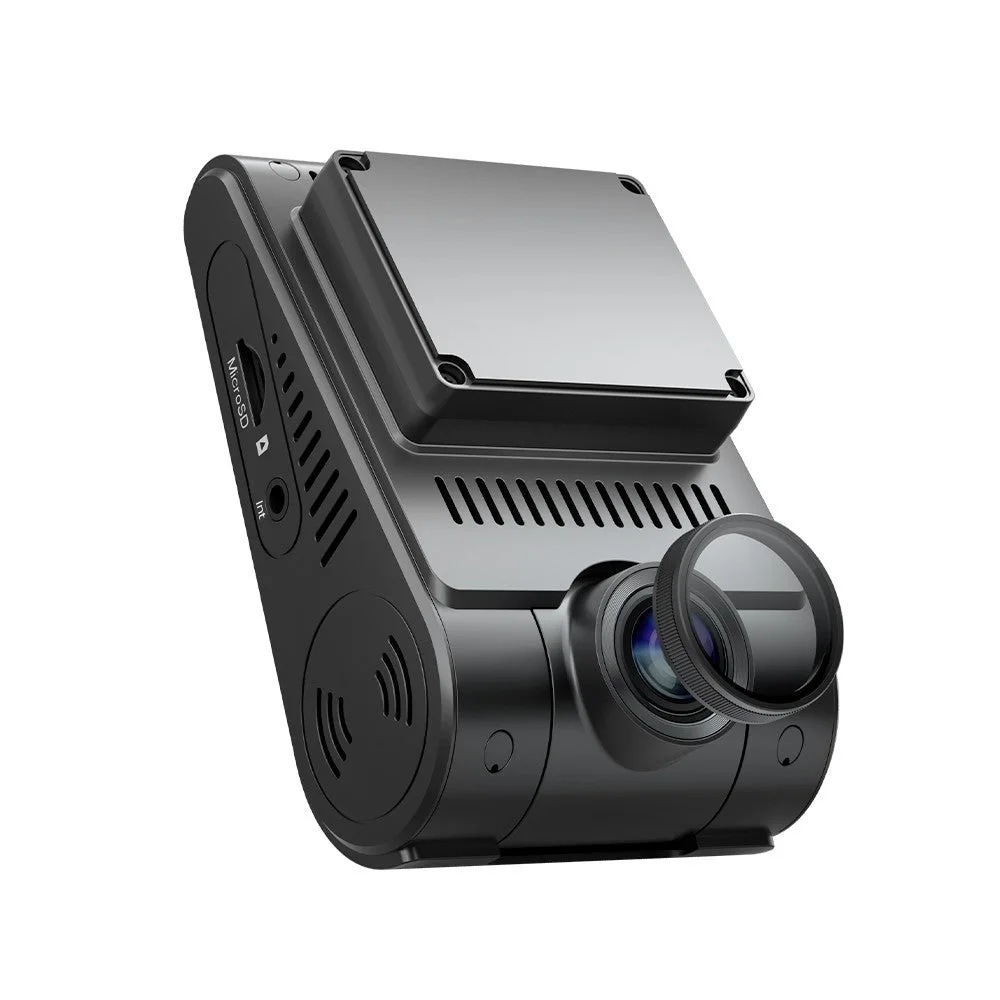 | Vantrue Nexus 5S (N5S) |
|---|---|---|
| Rideshare score | 8.3 | 7.6 |
| Overall score | 8.7 | 7.8 |
| Front resolution | 2,160 px | 1,944 px |
| Front frame rate | 30 fps | 30 fps |
| STARVIS 2 sensor | Yes | Yes |
| HDR | Yes | No |
| Coverage (channels) | 3 | 4 |
| Rear resolution | 1,440 px | 1,440 px |
| Cabin resolution | 1,080 px | 1,080 px |
| Cabin infrared | Yes | Yes |
| Buffered parking mode | Yes | Yes |
| Low-bitrate parking | Yes | Yes |
| Heat tolerance (power cell) | supercapacitor | supercapacitor |
| GPS | built-in | built-in |
| Wi-Fi transfer | 5GHz | 5GHz |
| Max storage | 512 GB | 1,024 GB |
| LTE / cloud | No | No |
| Front pixels per degree | 27.43 px/° | 16.41 px/° |
| Rear STARVIS 2 sensor | Yes | Yes |
| Time-lapse parking | Yes | Yes |
| Max operating temperature | 65°C | 60°C |
| Price | $379.99 at VIOFO, Nov 20 | $293.99 at Vantrue, Nov 20 |
| Where to buy | Check price on Amazon | Check price on Amazon |
VIOFO A229 Pro 3CH
Digital Camera World’s Alistair Charlton reported a “shocking lack of grainy noise after sunset” from the STARVIS 2 front sensor, and TechRadar found DOL-HDR handles tunnel transitions and license-plate capture well. That night performance is what a rideshare driver relies on: passengers board after dark, and the cabin IR camera switches automatically to infrared with clear detail. DashCamTalk tester PP confirmed the upgraded interior sensor eliminates the purple daytime hue seen on older VIOFO models.
The VIOFO A229 Pro 3CH records 4K front, 2K rear and 1080p cabin at 30 fps, with HDR on all three channels. Its Dashlore Score is 8.7 and it’s $379.99 at VIOFO, checked Nov 20.
The trade-off is bandwidth. DashCamTalk tester PP measured the front camera at 59.8 Mbps with two channels, but it drops to 36 Mbps when the interior camera is connected — even if interior recording is disabled. VIOFO confirmed this is by design, tied to the NT98530 processor’s allocation. DashCamTalk tester RCG also measured 75.2 °C at the SD card slot during a 4.5-hour indoor test at 27 °C ambient; VIOFO rates the camera to 65 °C. Three owners on DashCamTalk’s long-term thread cite summer heat as a reliability concern, and two reported that SanDisk High Endurance cards caused recording failures — switching to SanDisk Max Endurance or VIOFO-branded cards resolved it.
Every reviewer flagged the volume of cables for a full three-channel install. Android Police found hardwiring “fairly daunting,” and both Digital Camera World and TechRadar recommended professional installation. Our guide to installing a rideshare dash cam covers routing the cabin camera.
Three-channel HDR with IR cabin camera
VIOFO A229 Pro 3CH
- Front resolution
- 2,160 px
- Coverage (channels)
- 3
- STARVIS 2 sensor
- Yes
- Buffered parking mode
- Yes
Vantrue N5S
TechRadar described the N5S’s interior capture as “almost too impressive” — both cabin cameras switch to infrared automatically and produce clear facial detail in total darkness. That’s the N5S’s pitch for rideshare: two 1080p cabin angles on STARVIS 2 IMX662 sensors cover the front passenger and both rear seats, so there’s no blind spot a rider can claim. Active Gear Review confirmed usable cabin footage even at night, and a DashCamTalk community member called it “one of the very best ride share cameras out there.”
The Vantrue N5S records four channels — 1944p front, two 1080p cabins and 1440p rear — with built-in GPS and cards up to 1 TB. Its Dashlore Score is 7.8 and it’s $293.99 at Vantrue, checked Nov 20. EricSan on DashCamTalk measured 7.6 W while recording all four channels and just 0.6 W in parking mode, so battery draw between shifts is minimal.
The weak spot is nighttime plate capture. The front camera uses WDR only, not HDR — a processor limitation — and Digital Camera World found plates “only just about visible when the video is frozen.” EricSan’s testing confirmed this: daytime plates are clear, but legibility drops sharply after dark. The main unit is also bulky; TechRadar called it “quite chunky,” and Digital Camera World found it difficult to position discreetly. One rideshare owner on DashCamTalk reported slow boot times with large SD cards, missing footage on quick ride requests — enabling parking mode so the camera never fully shuts down was the workaround.
Two cabin cameras (four channels)
Vantrue Nexus 5S (N5S)
- Front resolution
- 1,944 px
- Coverage (channels)
- 4
- STARVIS 2 sensor
- Yes
- Buffered parking mode
- Yes
Our A229 Pro 3CH vs N5S comparison breaks down every spec difference between these two. Both use supercapacitors and need a hardwire kit for parking mode, which matters if you park between shifts.
Frequently asked questions
Are dash cams allowed for Uber drivers?
Yes. Uber's community guidelines say drivers may choose to install and use a dashcam to record rides, and that footage can provide evidence to Uber, police or insurers. Drivers must still follow local recording laws.
Are dash cams allowed for Lyft drivers?
Yes. Lyft lets drivers register a dashcam in the Driver app, and Lyft then notifies riders that they may be recorded. Lyft also offers built-in audio recording for drivers and riders and video recording for drivers in the US and Canada.
Do I have to tell Uber or Lyft passengers I'm recording?
It depends on your state. Uber's guidelines say some locations require consent to be recorded and tell drivers to check local laws. In all-party consent states, a visible notice is the common way drivers try to establish consent; ask a local lawyer whether it's enough.
Can I post Uber passenger footage on YouTube or TikTok?
Not without risking your account. Uber says sharing or streaming a person's image or recording on social media violates its community guidelines and may prompt a safety investigation.
What happens if a rider objects to being recorded?
Neither platform requires you to stop recording, but a rider in an all-party consent state who says they don't consent removes the implied consent a notice provides. You can switch audio off, cancel the trip, or consult a local lawyer on your obligations.
Should I turn off audio on my rideshare dash cam?
If you drive in an all-party consent state and can't be sure every rider has consented, switching audio off removes the biggest legal risk while keeping video. You lose spoken evidence, so it's a trade-off.
Related reading
GuideDash Cams
Dash Cam Audio Recording Laws: One- vs Two-Party States
Dash cam audio recording laws by state: the 11 all-party consent states with statutes, when cabin audio needs a passenger notice, and how to mute your cam.
How-toDash Cams
How to Install a Rideshare Dash Cam: Cabin and Rear Setup
How to install a rideshare dash cam: aim the cabin camera, route the rear cable, hardwire for all-shift power and post a recording notice, step by step.
GuideDash Cams
What SD Card Does a Dash Cam Need? Size and Endurance
What SD card does a dash cam need? A high-endurance U3/V30 microSD, sized to your channels and within your cam's limit, from 128GB to 1TB in our data.
Best ofDash Cams
Best Dash Cam for Rideshare: Uber and Lyft Picks Ranked
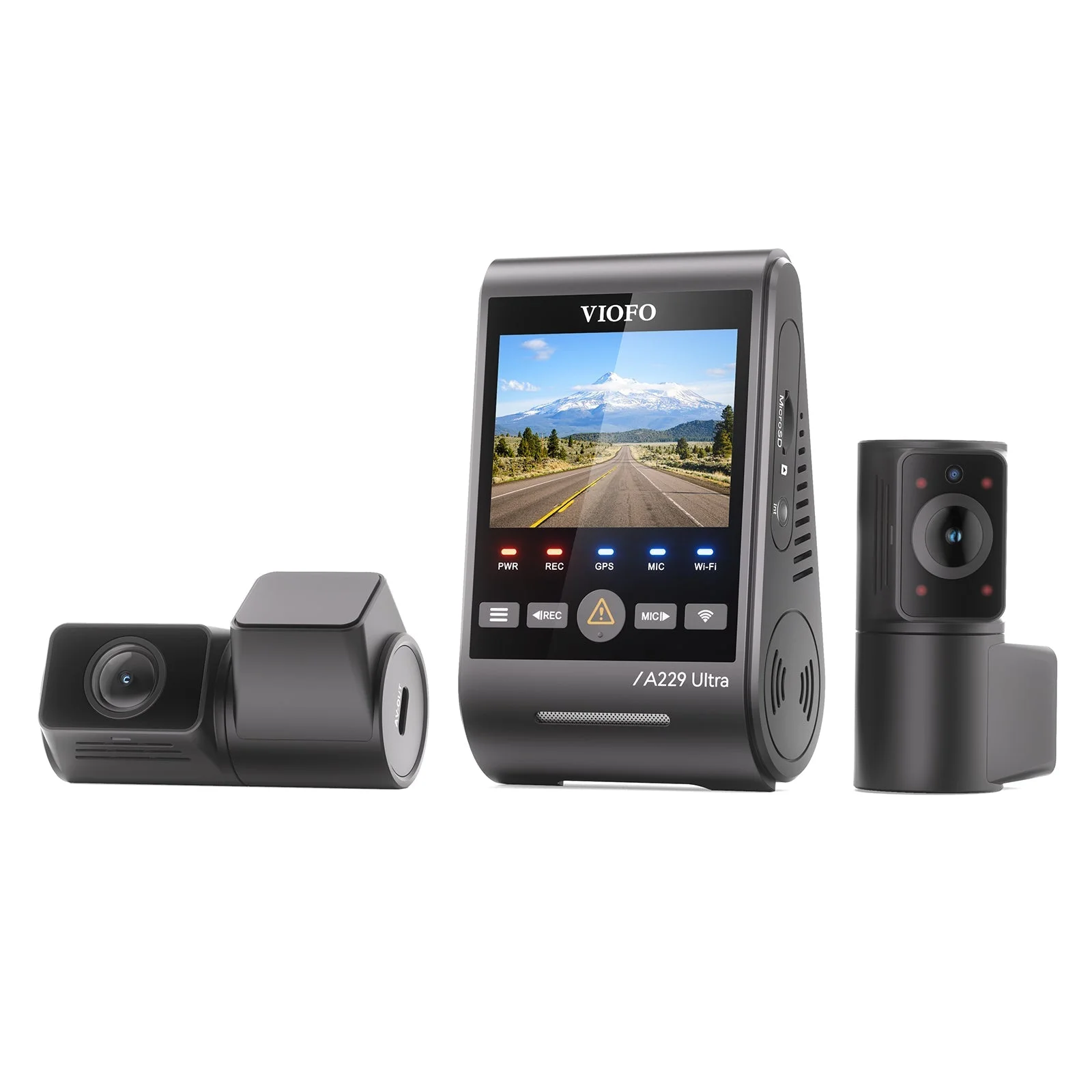
The best dash cam for rideshare is the VIOFO A229 Ultra 3CH, ranked #1 among every cam we track with a 1080p-plus cabin camera. Full rankings.