4K vs 1440p Dash Cam: Is the Upgrade Worth It?
4K vs 1440p dash cam: pixels-per-degree data for every cam we track shows where 4K resolves plates 1.5× farther and where sensor and bitrate matter more.
Disclosure: Dashlore earns a commission on purchases made through some links on this page, at no added cost to you. Scores come from the spec rubric, never from commission rates. Details
On this page
Key takeaways
- At the same 140° field of view, a 4K dash cam puts 27.4 horizontal pixels on each degree of the scene versus 18.3 for 1440p — 1.5× the plate-reading distance.
- Field of view eats into that lead: a 4K cam at 170° delivers only 22.6 pixels per degree, just 24% more than a 140° 1440p cam.
- Bitrate per pixel matters as much as resolution at night; a 4K stream at 36 Mbps spreads data thinner than a 1440p stream at the same rate.
- 1440p at 60fps captures twice the frames of a fast-moving car, but no frame has more detail; 4K wins on distance, 60fps on motion.
- Night quality depends more on the sensor than the resolution; most 4K and 1440p cams use a Sony STARVIS 2 with the same 2.0 µm pixel pitch.
For most drivers, yes: at the same 140° field of view, a 4K dash cam puts 27.4 pixels on every horizontal degree of the scene versus 18.3 for 1440p, resolving a license plate at 1.5× the distance. The gap shrinks with wider lenses, and sensor quality, HDR and bitrate can matter as much as the pixel count.
We calculated pixels per degree for every dash cam we track that publishes a field of view — the number that actually decides how much detail lands on a distant plate. If you’ve already decided on 4K and want picks, our dash cam rankings name the best for plate detail; this page shows whether the upgrade is worth it in the first place.
Pixels per degree for every dash cam we track
Here’s the full dataset: every camera with a published field of view, front lens only, sorted by pixels per degree.
| Dash cam | Front resolution | fps | Field of view | Pixels per degree | Pixels across a plate at 10 m | Plate reach vs 1440p 140° |
|---|---|---|---|---|---|---|
| WOLFBOX G900TriPro | 3840×2160 | not listed | 130° | 29.5 | 52 | 1.62× |
| Cobra SC 400D | 3840×2160 | not listed | 140° | 27.4 | 48 | 1.50× |
| Nextbase 622GW | 3840×2160 | 30 | 140° | 27.4 | 48 | 1.50× |
| VIOFO A119M Pro | 3840×2160 | 30 | 140° | 27.4 | 48 | 1.50× |
| VIOFO A149 Pro Duo | 3840×2160 | 30 | 140° | 27.4 | 48 | 1.50× |
| VIOFO A229 Pro 2CH | 3840×2160 | 30 | 140° | 27.4 | 48 | 1.50× |
| VIOFO A229 Pro 3CH | 3840×2160 | 30 | 140° | 27.4 | 48 | 1.50× |
| VIOFO A229 Pro Tele 2CH | 3840×2160 | 30 | 140° | 27.4 | 48 | 1.50× |
| VIOFO A229 Ultra 2CH | 3840×2160 | 30 | 140° | 27.4 | 48 | 1.50× |
| VIOFO A229 Ultra 3CH | 3840×2160 | 30 | 140° | 27.4 | 48 | 1.50× |
| VIOFO A329S 2CH | 3840×2160 | 60 | 140° | 27.4 | 48 | 1.50× |
| VIOFO A329S 3CH | 3840×2160 | 30 | 140° | 27.4 | 48 | 1.50× |
| VIOFO T330 3CH | 3840×2160 | 30 | 140° | 27.4 | 48 | 1.50× |
| VIOFO T340 3CH | 3840×2160 | 30 | 140° | 27.4 | 48 | 1.50× |
| 70mai T800 | 3840×2160 | 30 | 146° | 26.3 | 46 | 1.44× |
| BlackVue DR970X-2CH LTE Plus II | 3840×2160 | 30 | 146° | 26.3 | 46 | 1.44× |
| BlackVue Elite 10 Cabin | 3840×2160 | 30 | 146° | 26.3 | 46 | 1.44× |
| BlackVue Elite 10-2CH | 3840×2160 | 30 | 146° | 26.3 | 46 | 1.44× |
| BlackVue Elite 9-2CH | 3840×2160 | 30 | 146° | 26.3 | 46 | 1.44× |
| Thinkware ARC900 2CH | 3840×2160 | 30 | 147° | 26.1 | 46 | 1.43× |
| Thinkware U3000 Pro 2CH | 3840×2160 | 30 | 147° | 26.1 | 46 | 1.43× |
| 70mai A810 | 3840×2160 | not listed | 150° | 25.6 | 45 | 1.40× |
| ROVE R2-4K Dual Pro | 3840×2160 | 30 | 150° | 25.6 | 45 | 1.40× |
| Thinkware U3000 2CH | 3840×2160 | 30 | 152° | 25.3 | 44 | 1.38× |
| Vantrue N4 Pro S | 3840×2160 | 30 | 155° | 24.8 | 43 | 1.35× |
| Vantrue E1 Pro | 3840×2160 | 30 | 158° | 24.3 | 42 | 1.33× |
| Vantrue E1 Pro S | 3840×2160 | 30 | 158° | 24.3 | 42 | 1.33× |
| Vantrue N4 Pro | 3840×2160 | 30 | 158° | 24.3 | 42 | 1.33× |
| REDTIGER F7NP | 3840×2160 | not listed | 170° | 22.6 | 39 | 1.24× |
| Thinkware Q200 2CH | 2560×1440 | 30 | 124° | 20.6 | 36 | 1.13× |
| Garmin Dash Cam X210 | 2560×1440 | 30 | 140° | 18.3 | 32 | 1.00× |
| VIOFO A119 Mini 2 | 2560×1440 | 60 | 140° | 18.3 | 32 | 1.00× |
| VIOFO A229 Plus 2CH | 2560×1440 | 60 | 140° | 18.3 | 32 | 1.00× |
| VIOFO A229 Plus 3CH | 2560×1440 | 30 | 140° | 18.3 | 32 | 1.00× |
| VIOFO VS1 Mini | 2560×1440 | 30 | 140° | 18.3 | 32 | 1.00× |
| BlackVue Elite 8-1CH | 2560×1440 | 30 | 142° | 18.0 | 32 | 0.99× |
| BlackVue Elite 8-2CH | 2560×1440 | 30 | 142° | 18.0 | 32 | 0.99× |
| Vantrue N5S | 2592×1944 | 30 | 158° | 16.4 | 29 | 0.90× |
| BlackVue DR590X-2CH Plus | 1920×1080 | 30 | 131° | 14.7 | 26 | 0.80× |
| Garmin Dash Cam Mini 3 | 1920×1080 | 30 | 140° | 13.7 | 24 | 0.75× |
| Garmin Dash Cam X110 | 1920×1080 | 30 | 140° | 13.7 | 24 | 0.75× |
| Thinkware F70 Pro | 1920×1080 | 30 | 140° | 13.7 | 24 | 0.75× |
Read the right-hand column as a multiplier. A camera at 1.50× resolves a plate with the same detail as the 1440p baseline at one and a half times the distance. A 1080p camera at 0.75× has to be a quarter closer.
How we calculated pixels per degree
Every input comes from each camera’s spec sheet in our database.
- Horizontal pixels. The width of the front resolution: 3,840 for 4K, 2,560 for 1440p, 1,920 for 1080p. A plate is wider than it is tall, so width decides whether its characters separate.
- Divide by the quoted field of view. A 4K cam at 140° gets 3,840 ÷ 140 = 27.4 pixels per degree; at 170° it gets 22.6. Makers usually quote a diagonal field of view, which is wider than horizontal, so the absolute figure understates the true density slightly — but it does so for every camera alike, keeping the comparison fair.
- Project onto a plate. A standard US license plate is 12 inches (0.305 m) wide. At 10 m (33 ft) it covers about 1.75° of the scene, so we multiply pixels per degree by 1.75 to get pixels across the plate.
Two simplifications: wide lenses compress the edges slightly, so a plate dead ahead gets a little more than the average and one at the edge gets less. And this is geometry only — it doesn’t account for compression, motion blur, glare or focus. Those losses hit every camera, while the geometry is fixed by the spec sheet. These are the same figures our comparison tables and plate-reading score use.
How much farther can 4K read a plate?
Plate reach scales linearly with pixels per degree. That gives three practical results.
Same lens, 4K wins by 50%. Every 4K VIOFO in the table pairs its sensor with a 140° lens and hits 27.4 pixels per degree. Their 1440p siblings at 140° hit 18.3. If a 1440p camera needs a car within 6 m to read its plate, the 4K version gets the same detail at 9 m. Our VIOFO A229 Pro vs A229 Plus comparison walks through exactly that pairing. Reviewers back up the geometry: LifeHackster’s side-by-side review of the A229 Pro confirmed STARVIS 2 with HDR eliminates the headlight glare that plagues non-STARVIS-2 cams, making the extra pixels count at night.
Wide lenses give a lot back. The REDTIGER F7NP records 4K through a 170° lens and lands at 22.6 pixels per degree — only 24% ahead of a 140° 1440p cam. The Vantrue E1 Pro and N4 Pro, at 158°, sit at 24.3. A wider view catches more of the scene, but spreads the same pixels thinner. See our REDTIGER F7NP vs VIOFO A229 Pro comparison for a deep dive on that tradeoff.
Narrow lenses push the lead further. The WOLFBOX G900TriPro mirror cam tops the table at 29.5 pixels per degree because its 4K front camera uses a 130° lens, 10° narrower than the VIOFOs. It doesn’t list a frame rate or HDR, so the geometry is the only part of its plate case we can confirm.
A narrow 1440p lens can close the gap. The Thinkware Q200 records 1440p through a 124° lens and reaches 20.6 pixels per degree, within 10% of the 170° 4K cam. It scores just 3.8 on our rubric because of its OmniVision sensor, 2.4 GHz-only Wi-Fi and missing HDR, but the geometry point stands.
There’s one outlier off the chart entirely. The VIOFO A229 Pro Tele 2CH pairs its 4K main camera with a second, forward-facing 2K camera behind a 35° telephoto lens with 4× optical zoom, per VIOFO’s spec table. That works out to roughly 73 pixels per degree — about four times the 1440p baseline — but only in a narrow cone straight ahead.
Does bitrate limit the 4K advantage?
Pixels per degree sets the geometric ceiling, but compression decides how much of that ceiling you actually get. A 4K frame has 2.25× as many pixels as 1440p. At the same bitrate, the encoder has to spread data thinner, so fine detail — especially in dark, noisy scenes — gets smeared.
Dashboard Camera Reviews’ A229 Pro write-up measured 60 Mbps front bitrate in 2CH mode and 36 Mbps in 3CH mode, a difference that’s visibly sharper in stills. That 60 Mbps across 8.3 million pixels works out to about 7.2 bits per pixel — roughly the same data density as a 1440p stream at 27 Mbps. Most manufacturers don’t publish bitrate at all, which is why we rank by the geometric limit rather than trying to guess compression quality. If a maker doesn’t list it, assume the 4K advantage is real but smaller than the pixels-per-degree ratio implies.
Does 1440p at 60fps beat 4K at 30fps?
Not for plates at a distance, but sometimes for motion up close.
At 60 fps the camera captures a frame every 16.7 ms instead of every 33.3 ms. On a car crossing in front of you at 30 mph (48 km/h), that’s a frame every 22 cm of travel versus every 45 cm. More frames raise the odds that one catches a plate cleanly. It doesn’t add detail to any single frame, though — a plate that covers too few pixels at 1440p stays unreadable no matter how many frames you have.
One tradeoff to know: on the VIOFO A229 Plus 2CH, enabling HDR locks the front to 30 fps. CKTechCheck’s review found HDR sometimes introduced processing artifacts, while multiple reviewers including Vortex Radar and BlackboxMyCar note this is a meaningful choice since HDR matters most at night, exactly when you’d also want 60 fps for fast-moving headlights.
4K helps with distance; 60 fps helps with motion. For most incidents, distance is the harder problem — the plate you need is on the car that drove off. If you want both, the VIOFO A329S 2CH records 4K at 60 fps, per VIOFO’s A329S spec table.
Does 4K hurt night footage?
Not by itself. Night quality comes down to the sensor. Most 4K cams in the table that name their sensor use Sony’s STARVIS 2 IMX678; most 1440p cams use the IMX675. Both share a 2.0 µm pixel pitch — the IMX678 is simply a larger chip with more pixels. Each pixel gathers about the same light, so 4K doesn’t mean noisier pixels. Our STARVIS 2 explainer covers what that sensor family changes for low light.
Where 4K earns its keep at night is HDR. Shop Humor’s review of the A229 Pro demonstrated that without HDR, plates directly in headlight beams wash out completely, calling HDR “the difference between good footage and garbage.” That matters because HDR is a spec that varies independently of resolution — see HDR vs WDR for the difference. Most 4K cams in the table have HDR; the Thinkware U3000 (non-Pro) and WOLFBOX G900TriPro don’t, and Cobra and Nextbase don’t list it for the SC 400D and 622GW.
On the 1440p side, Sean Chandler’s review found the A229 Plus 2CH actually outperformed a GoPro Hero 12 at night, crediting the STARVIS 2 sensor. The cameras that really struggle at night are the ones at the bottom of the table: the BlackVue DR590X-2CH Plus uses an original STARVIS sensor and the Thinkware F70 Pro doesn’t list a STARVIS 2 sensor at all.
Does 4K use more storage?
Yes, and the difference is practical. CKTechCheck’s A229 Plus review measured about 2 GB per 10-minute clip per camera at max bitrate. A 4K stream at higher bitrate produces larger files, so a 512 GB card that holds roughly 20 hours of dual-channel 1440p footage will hold less in 4K. With parking mode on, the card cycles even faster.
Both resolutions benefit from high-endurance cards rated for constant recording. Multiple reviewers stress that dash cams demand endurance-rated media — Shop Humor warns non-endurance cards fail prematurely, and forum users on DashCamTalk linked an A229 Pro recording failure to a card that hadn’t been formatted in a year. See what SD card a dash cam needs for sizing and endurance ratings.
Which should you choose?
Pick by what you need the footage to prove.
| If you mainly need… | Choose | Why |
|---|---|---|
| Plates on cars ahead and driving away | 4K at 130°–147° | 26.1–29.5 px/°, the top of the table |
| Wide coverage of junctions and side streets | 4K at 158°–170° | Still beats any 140° 1440p cam on detail |
| Smooth motion on a lower budget | 1440p at 60 fps on STARVIS 2 | Twice the frames; 18.3 px/° is enough for close plates |
| Both distance and motion | 4K at 60 fps | Only the A329S 2CH does it in our database |
For most drivers, the upgrade is worth it: a 4K front camera on a STARVIS 2 sensor with HDR and a 140°–147° lens is the sweet spot, delivering 1.43–1.50× the plate reach of 1440p with no night penalty on paper. The real costs are card space and price. If 1440p is enough for your driving — city commuting where plates are close, or you value 60 fps for intersection footage — the A229 Plus 2CH on its IMX675 sensor is a strong pick that three of four reviewers praised for night quality.
| Spec | 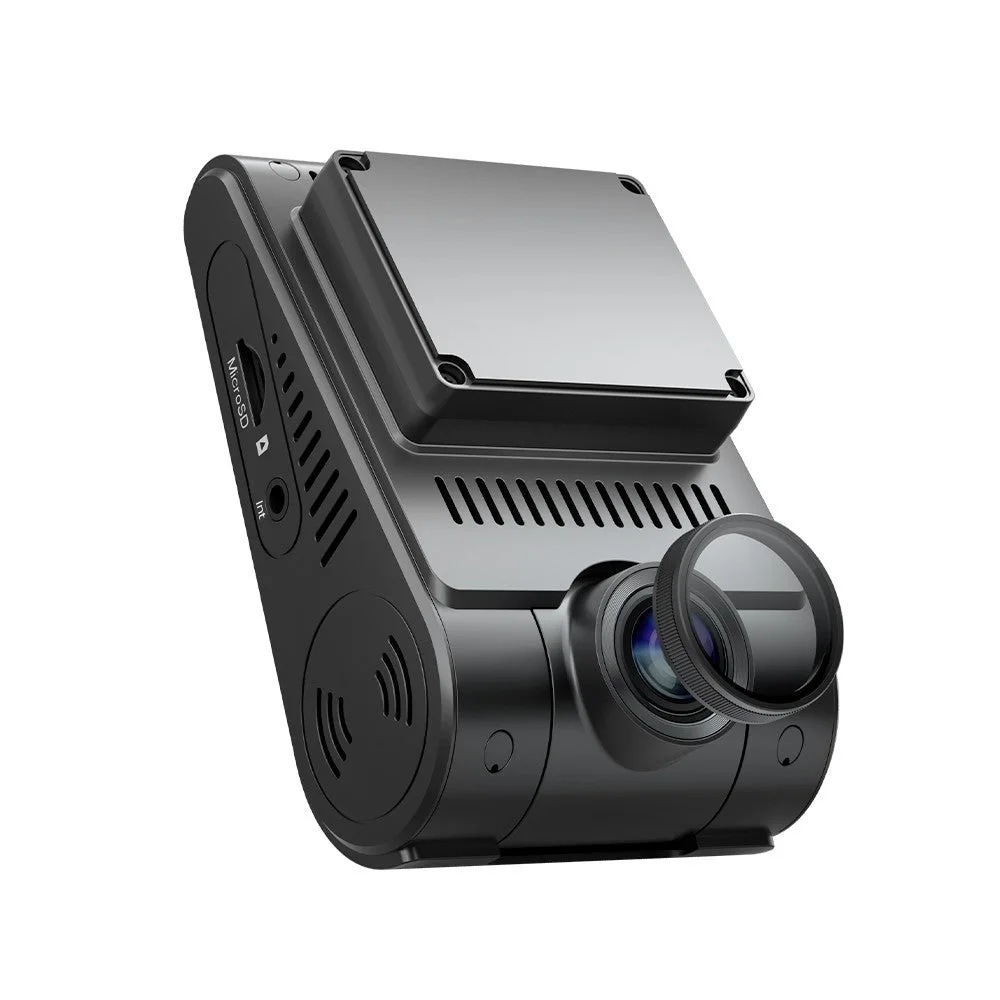 | |
|---|---|---|
| Score | 7.6 | 6.9 |
| Front resolution | 2,160 px | 1,440 px |
| Front frame rate | 30 fps | 60 fps |
| STARVIS 2 sensor | Yes | Yes |
| HDR | Yes | Yes |
| Coverage (channels) | 2 | 2 |
| Rear resolution | 1,440 px | 1,440 px |
| Buffered parking mode | Yes | Yes |
| Low-bitrate parking | Yes | Yes |
| Heat tolerance (power cell) | supercapacitor | supercapacitor |
| GPS | built-in | built-in |
| Wi-Fi transfer | 5GHz | 5GHz |
| Max storage | 512 GB | 512 GB |
| LTE / cloud | No | No |
| Front pixels per degree | 27.43 px/° | 18.29 px/° |
| Rear STARVIS 2 sensor | Yes | Yes |
| Time-lapse parking | Yes | Yes |
| Max operating temperature | 65°C | 65°C |
| Price | $349.99 at VIOFO, Nov 20 | $229.99 at VIOFO, Nov 20 |
| Where to buy | Check price on Amazon | Check price on Amazon |
Resolution is one of nine specs in our how to choose a dash cam guide. See where every camera lands on our rubric in the dash cam rankings, or narrow by resolution, channels and parking mode with the dash cam finder. If you’re weighing specific models, our best VIOFO dash cam and best BlackVue dash cam roundups rank every model we track.
Frequently asked questions
Is 4K better than 1440p for a dash cam?
For reading plates, yes. At the same field of view, 4K resolves a plate at 1.5× the distance of 1440p. The gap shrinks with wider lenses, and HDR and sensor quality can matter more than resolution at night.
How far can a 4K dash cam read a license plate?
There's no single number — it depends on lighting, speed, compression and angle. What geometry fixes is the ratio: a 4K cam at 140° puts the same pixels on a plate at 1.5× the distance of a 1440p cam at 140°.
Is 1440p at 60fps better than 4K at 30fps?
Only for fast motion close to the car. 60fps gives twice as many frames, which helps freeze a car crossing your path, but each frame has 33% fewer pixels in each direction.
Does 4K make night footage worse?
Not inherently. The Sony STARVIS 2 IMX678 in most 4K cams and the IMX675 in most 1440p cams share the same 2.0 µm pixel pitch. What can hurt is compression: a 4K stream at the same bitrate as 1440p spreads data across 2.25× as many pixels.
Does 4K use more storage?
Yes. At maximum bitrate, a dual-channel 1440p cam fills about 2 GB every 10 minutes per camera. 4K files are larger, so the same card holds fewer hours before loop recording overwrites. See our SD card guide for sizing.
Does bitrate matter more than resolution?
It can. A 4K stream compressed to 25 Mbps may look softer than a well-encoded 1440p stream at 40 Mbps. Few manufacturers publish bitrate, which is why we rank by pixels per degree — the geometric limit compression can't exceed.
Related reading
Best ofDash Cams
Best Dash Cams: Every Major Model Ranked by Spec
Every dash cam we track, ranked on a published rubric, with picks for front and rear, 4K plate detail, night driving, parking mode and under $200.
Best ofDash Cams
Best VIOFO Dash Cam: Every Model Ranked
The best VIOFO dash cam is the A229 Ultra 3CH. We rank every VIOFO model we track on one rubric and decode the A229, A329S, T-series and Mini lines.
GuideDash Cams
Dash Cam Parking Mode Explained: Buffered vs Time-Lapse
Dash cam parking mode explained: buffered, time-lapse, low-bitrate and impact-only recording compared, with buffer lengths and which cams support each.
DataDash Cams
STARVIS 2 Explained: Which Dash Cams Have It
STARVIS 2 explained: what Sony's sensor tech adds over STARVIS, how the IMX678 and IMX675 differ, and which dash cams in our database use each one.